Configuring Apache with Tomcat
You might have ProxyPass configured to pass all requests to Tomcat. However its better to serve some content directly from Apache for speed – images for instance. If you arrange your site into a well planned folder structure you can exclude certain folders in proxy_ajp.conf.
You might have this:
ProxyPass / ajp://localhost:8080/
Just add this line BEFORE the catch-all above:
ProxyPass /images !
ProxyPass / ajp://localhost:8080/
The file is parsed in order, so the exclude must come first.
Watch out for more Tomcat tips and tricks in the future. Information on our market leading Tomcat hosting can be found here


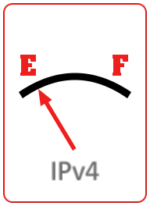 The imminent end of the Internet as we know it approaches – our IPv4 addresses are running out fast. Less than 10% of the original 4 billion remain. Internet service providers will have to ration their stocks of existing address blocks and growth will become more difficult.