Category Archives: Technical

PHP File Directory Script with folder sizes

A new resource for customers – the Website File Explorer. Here’s how it came about.

What it does

The item lists the files and folders in a customers webspace, giving information such as file size, modification time, folder structure and size, all in a responsive, attractive layout.

Based on the script created by Hal Gatewood at http://halgatewood.com/free/file-directory-list/ we made a modification to show the folder sizes and give a total for the space used entirely.
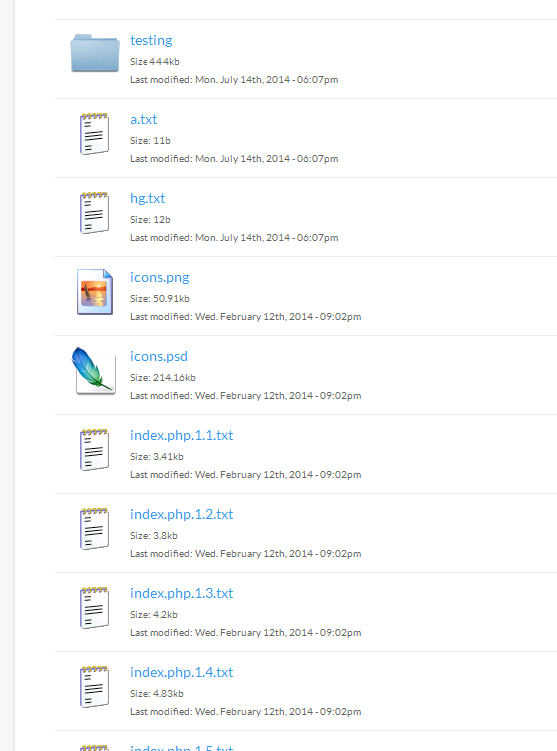
screenshot of Free PHP File Directory Script showing Folder content size
Free PHP File Directory Script showing Folder content size

The single-file script can be placed in a web directory and loaded in a browser. It uses scandir to locate all the contents recursively, then filesize to get the properties of each item.

Responsive, Dynamic, Modern

The script also displays a nice icon for each type of file, and the last modified timestamp.

Folders are shown initially closed but a simple click expands them dynamically to reveal the contents.

Putting the Customer in Control

The script is used as a report for our web hosting customers, to give them more information about their accounts.

Most hosting control panels show disk quota and usage, but we were asked by customers to break down the usage in detail, so that they could get an idea where the space was being used. From personal experience we know webspace gets used over time for all sorts of random things – obsolete projects, testing space, a handy spot to dump that file you need to transfer one time only….

We had been providing this information manually, using the linux ‘du‘ command. This has useful parameters such as –human-readable and –max-depth which made it ideal. However translating this function into a customer-facing tool in a safe and secure way meant a different approach – in our case using PHP.

We continue to use ‘du’ “under the hood” to provide a daily report to customers via our customer portal. Automatic warnings are generated in case a customers is getting close to their quota.

How big is that Folder in the Window?

One interesting thing we found is the different ways that file and folder sizes are calculated. There is also some differences in parameters for du (apparent sizes, rather than disk usage) that had to be taken into account when comparing PHP’s method of calculating file space usage with Linux’s (and our FTP server software).

We display the results in human-friendly units based on one Kilobyte being 1024 bytes.

Download Script

Download the script here: file-directory-size.php.txt

Remove the .txt extension and upload to your webserver.

Caution: This script will display the names (at least) of all files in your site. Therefore caution should be used before putting it in a public location. Our use of this script is tightly locked down so that it is safe and secure to use.

We would not recommend this script is used at all where register_globals is active (e.g. older php versions).


With thanks to the original creator, Hal Gatewood and user khanvani on fiverr.com

New Features in CiviCRM

The creators of open-source CRM software CiviCRM have released details of the new features coming in the next release of the free software.

2020Media is a leading UK web hosting provider of CiviCRM – details about our hosting service can be found at http://www.2020media.com/shared-hosting/civcrm-hosting

CiviCRM 4.7 Planned Features

  • Form Builder – First phase implementation of a new forms framework which will be designed to allow for easy customization of core forms.
  • Administrator Status Page – Provide CiviCRM site administrators with a single place to check for configuration problems including cron status, file permissions, MySQL permissions, invalid or sub-optimal PHP settings, etc. These statuses can also be queried via API to allow for automated status checks.
  • Administer Settings improvements – Provides a unified and searchable administrative interface for all configurable settings. Makes it easier for extensions to add settings to this interface.
  • Installer improvements – Streamlined install process for WordPress sites. Initialize newly installed sites with localization settings (language, currency, etc.) based on the users locale. 2020Media provide pre-installed CiviCRM so we’ll take care of this for you!
  • Payment processing improvements
  • Webform CiviCase integration enhancements (sponsored by Compucorp Ltd.) – Add case roles to a case in webforms and allow users to specify a case when creating an activity.
  • CiviMail Inline (pending code contribution from Veda Consulting) – Improves usability when composing and editing mailings based on templates by allowing the designer to create editable and non-editable regions.
  • Offline recurring payments (pending code contribution from Veda Consulting and API from JMA Consulting) – Manage recurring contributions that are initiated outside of CiviCRM.  Ensures that these Direct Debit or Standing Order payments are allocated to the correct contacts, and that the recurring details are fully accessible to CRM administrators.
  • Navigation / Menu Improvements (pending collaboration with Compucorp Ltd.) – Modernize the main navigation menu, provide vertical side-bar display options, include icons.

The target date for a stable release is Early October 2015.

Live Bandwidth Reporting Gem

We’ve just released a new control panel ‘gem’ – our name for useful tools the enhance our customer’s service.

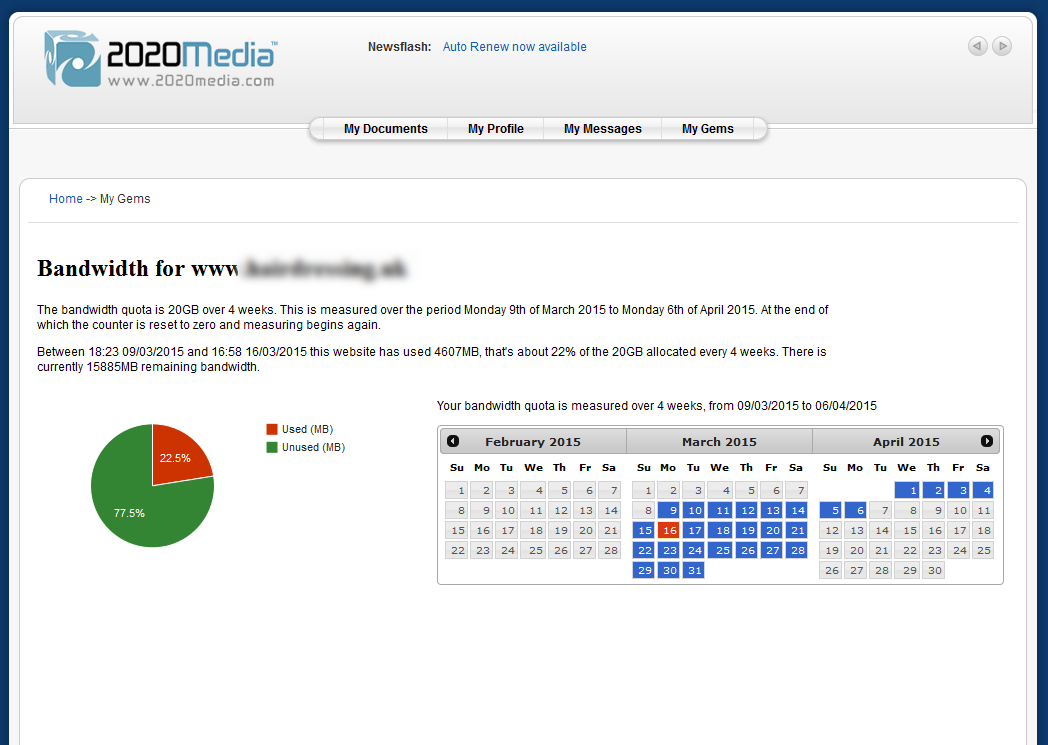
The bandwidth reporting gem gives customers a live view of their website’s bandwidth usage.


2020Media's new Bandwidth Gem
2020Media’s new Bandwidth Gem

The rest of this blog post is about how we created the functionality so non-techies can stop reading now!

Looking inside the code

mod_cband_exampleThis functionality was made possible because of mod_cband. mod_cband is an apache module that monitors and controls individual website bandwidth usage. It handily includes an xml output. We set parameters of the website and the server it’s hosted on. The script then loads the xml file from the relevant server and pulls out the data for the chosen site. There are three useful values:

  • Quota
  • Total used
  • Time until refresh

‘Quota’ is the hosting plan bandwidth quota – for example 10GB per month. Mod_cband does not allow calendar month periods, so we use 4 weeks (a hidden bonus on our hosting plans as customer effectively get up to 3 free days of bandwidth a month!). The ‘Time until refresh’ is a countdown to the time when the bandwidth ‘Total used’ is reset back to zero. Note the XML does not include the period over which the bandwidth is measured, but for 99% of sites we use 4 weeks so this is not a problem.

Taking this data, we can then create some pretty graphs to illustrate the website’s usage. We use the Google Chart API – Google chart tools are powerful, simple to use, and free. Try out our rich gallery of interactive charts and data tools. Using javascript librarys you can send some values and get back a lovely bar chart, timeline or as in our case, a pie chart.

 data.addRows([
 ['Used (MB)', <?php echo $used;?>],
 ['Unused (MB)', <?php echo $unused;?>],
 ]);

The resulting graphic includes nice rollovers and is extensively customisable (although of course there are always one thing you want to do that isn’t supported!).

We also wanted to show customers how long their site had left before the quota was reset. In the xml feed, this comes out of mod_cband as “Time to Refresh”:

<time_to_refresh>3W 0D 01:03:17</time_to_refresh>

Not the ideal parameter to work with! However we can do some conversions and math on it, to work out the start date and end date of the period.

$wdhms = convertdate($refresh);  // converts time_to_refresh into seconds
$totaltime = 2419200; // number of seconds in 4 weeks
$today = time();
$timeused = $totaltime - $wdhms;
$startdate = ($today - $timeused);
$enddate= ($today + $wdhms);

Then we use another Google Javascript library to display this in a calendar format. We chose datepicker as it’s well documented and fits in well with the javascript based pie-chart  used in the bandwidth representation.

The datepicker setup is very similar to the piechart:

    beforeShowDay: function(date) {
    var date1 = $.datepicker.parseDate($.datepicker._defaults.dateFormat,"<?php echo date('m/d/Y',$startdate);?>");
// Date format MM/DD/YYYY
    var date2 = $.datepicker.parseDate($.datepicker._defaults.dateFormat, "<?php echo date('m/d/Y',$enddate);?>");
    return [true, date1 && ((date.getTime() == date1.getTime()) || (date2 && date >= date1 && date <= date2)) ? "dp-highlight" : ""];
     }

Div tags are used to layout the information as in the screenshot above. These will flow nicely on small screen devices, as we aim to make all our customer-facing websites fully responsive.

Future plans

We aim to add this reporting functionality across other services such as broadband.


New free services from 2020Media

This post is a quick preview of some new services we’re introducing for our customers.

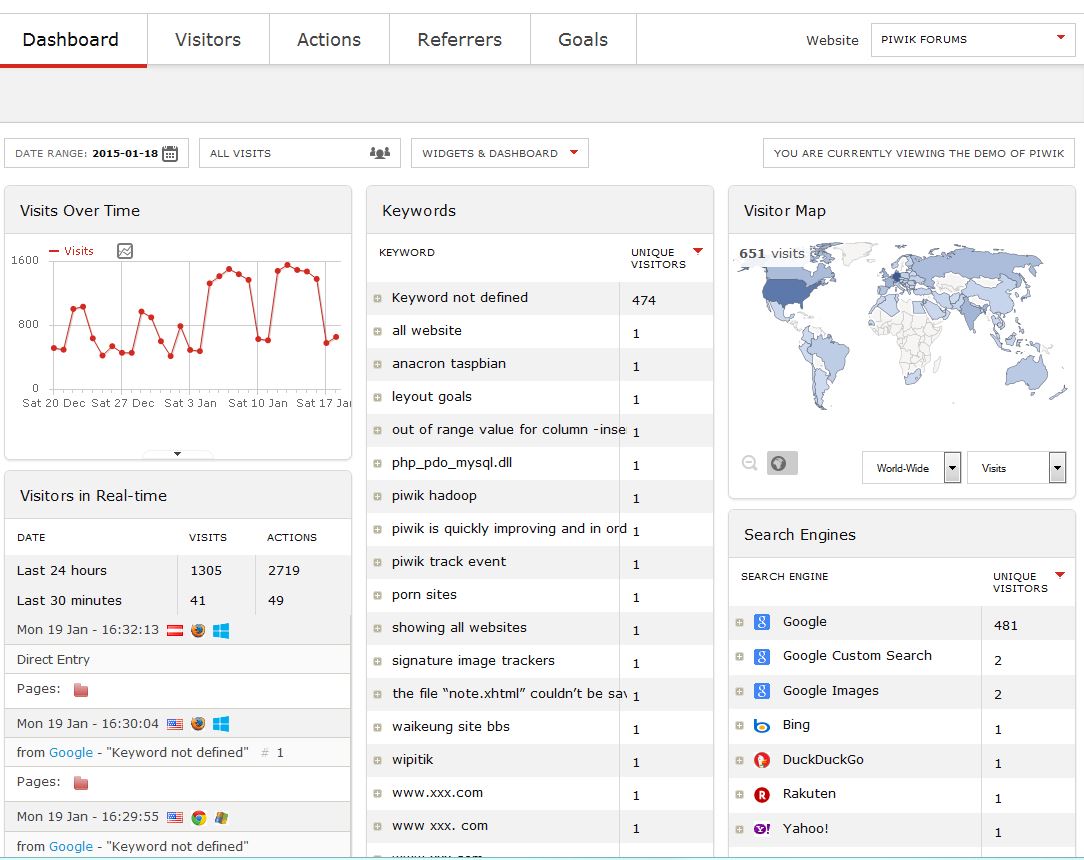
Piwik Analytics.

Piwik analytics is not a widely known name, but they offer a private version of website visitor analytics in a very similar style to Google Analytics.

Piwik has repeatedly emphasized ownership of data when compared to Google analytics. Piwik is hosted on our own servers vs Google analytics which is a remotely hosted service. So with your visitor’s data you remain in control.

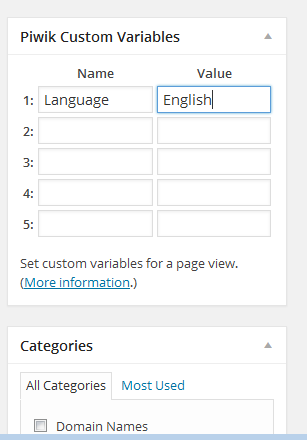
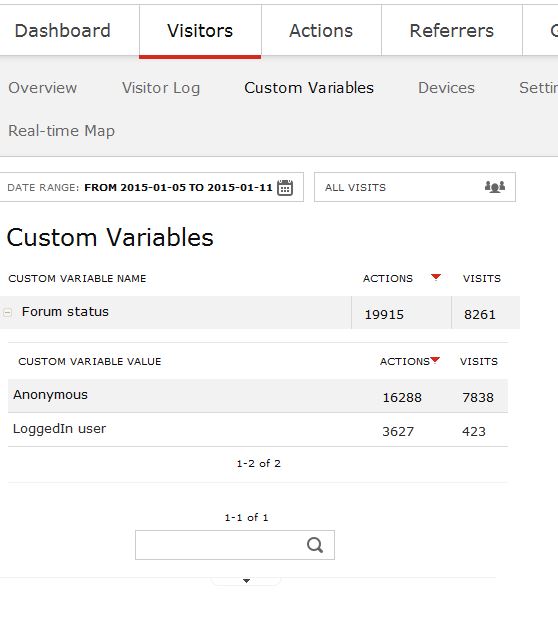
Piwik WordPress plugin for custom variables
Piwik WordPress plugin
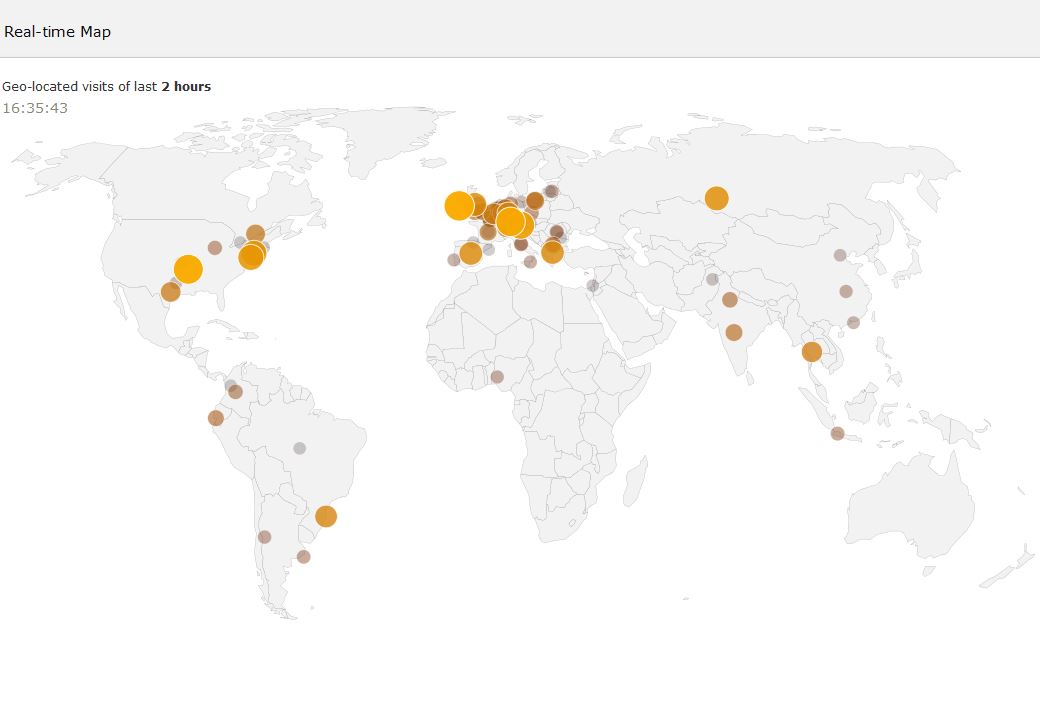
Piwik also boasts of other main features like real time visitors, events, segmentation and many others. The Piwik WordPress plugin make it trivial to add specific variables right on the Page edit screen.

We will install Piwik on any site hosting by 2020Media free of charge – no configuration by users is needed.

It’s included free of charge as part of our managed WordPress service, but we’ll also set it up on Drupal, Joomla, Open Journal and almost all other website content mangement systems.

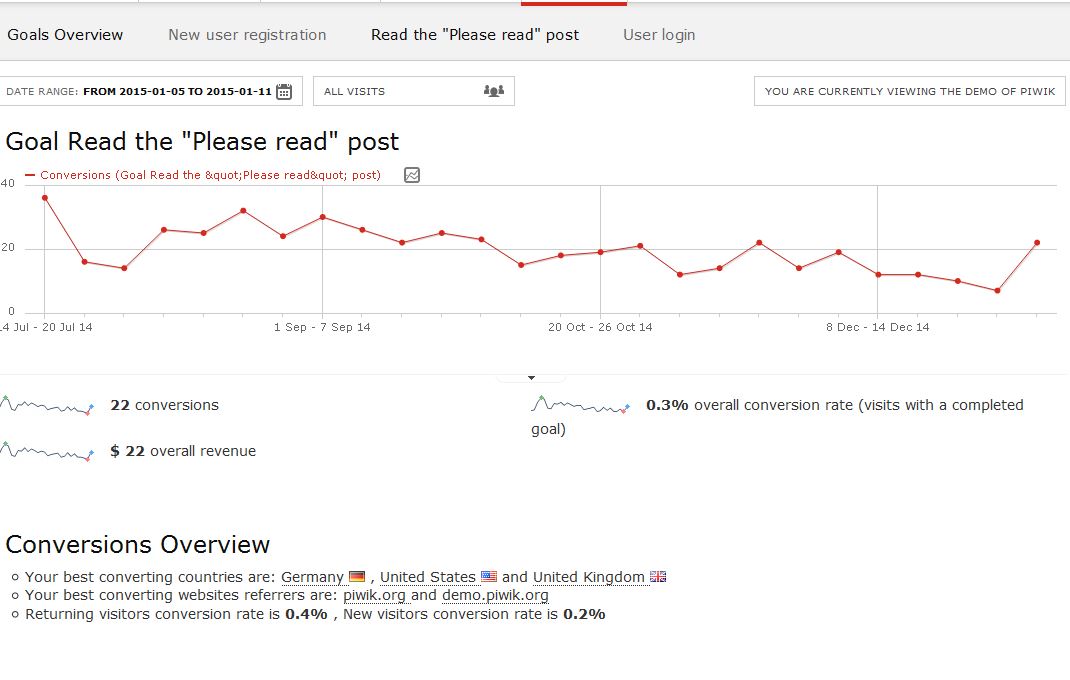
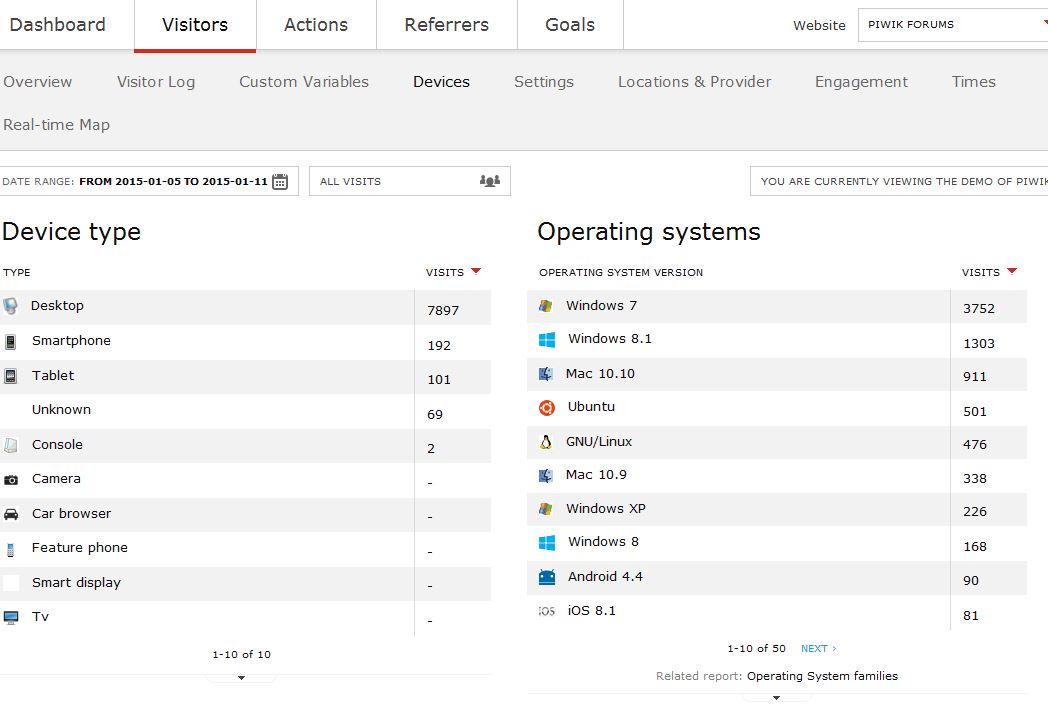
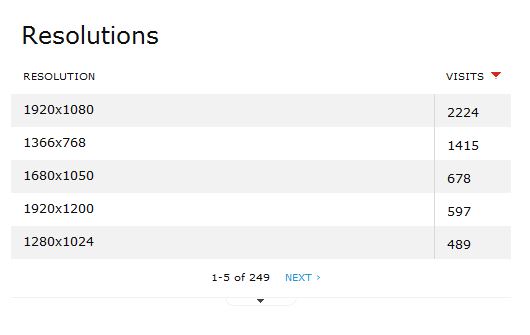
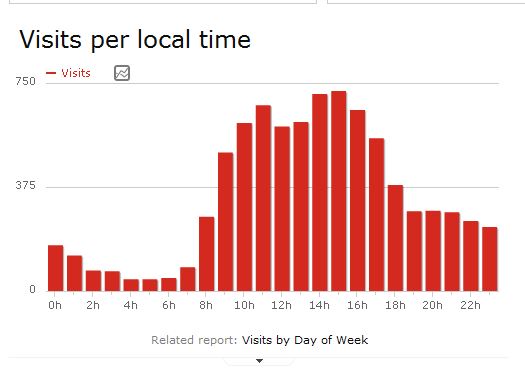
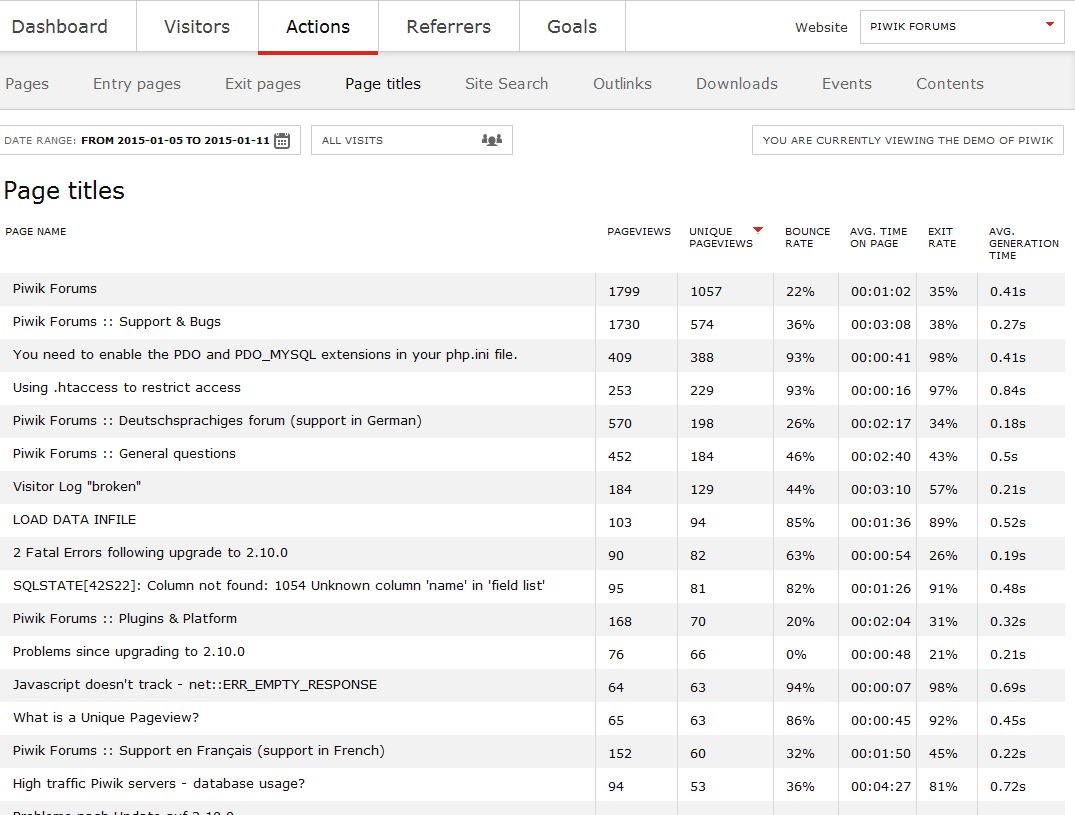
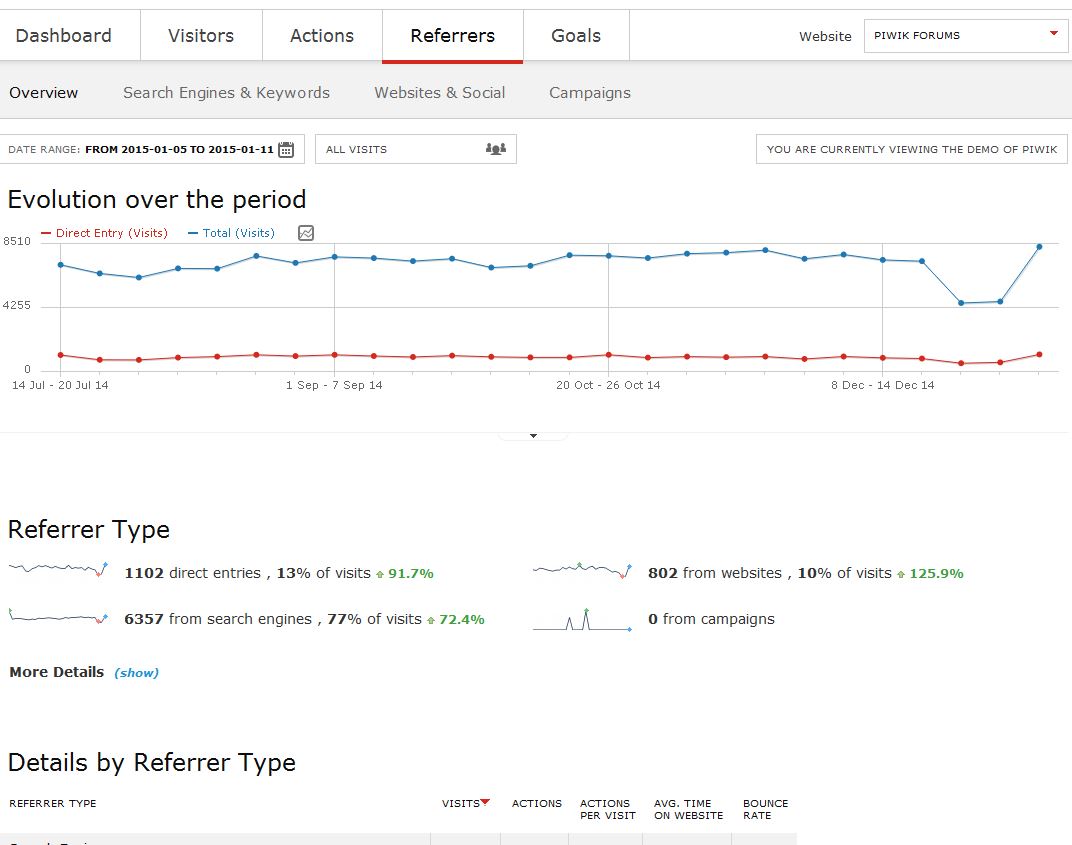
Piwik Selected Reports

We believe the addition of Piwik Analytics gives our customers a useful tool that will help with their website optimisation and ultimately their search engine ranking.

Piwik reports are available in real time via the customer portal ‘Gems’ section.

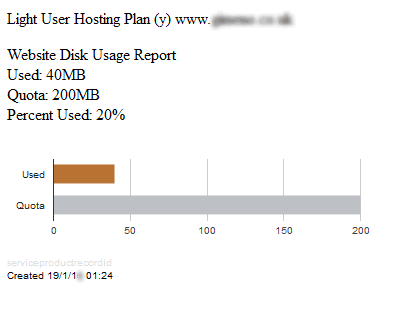
Disk Usage Reporting

Website disk usage report
This new report gives an at a glance assessment of how much space your website is using in relation to it’s quota. Should a site be nearing it’s quota, alerts are sent to customers giving them warning.

Find out more about our webhosting at www.2020media.com


Joomla 2.5.28 released and what it means to you

The Joomla project has released Joomla 2.5.28 that has been tagged as the last release in the Joomla 2.5 series.

Officially, as of December 31, 2014, the Joomla 2.5 series will no longer be supported. This means that there are no new releases planned for Joomla 2.5, as the Joomla project is putting all its efforts in its Joomla 3.3 and upcoming 3.4 series

There are no security related fixes in the Joomla 2.5.28 release, so there is no real rush to upgrade. However as this is the last of the Joomla 2.5 series you should start planning to upgrade your Joomla 2.5 websites to the even more secure, feature rich and mobile ready Joomla 3.3.6 environment. From January 1st Joomla 3.X will be the only security maintained release.

Joomla have a mini-guide on the uprade process: https://docs.joomla.org/Planning_for_Mini-Migration_-_Joomla_2.5_to_3.x

Differences between Joomla 2.5 and Joomla 3.3

The main differences between Joomla 2.5 and Joomla 3.3 that will most likely influence your upgrade situation are:

  1. Joomla 3.3 uses Bootstrap, where Joomla 2.5 does not. The Bootstrap markup makes your Joomla website responsive, which means that your Joomla website should look great in all viewing devices (desktop, tablets and mobile phones)
  2. Joomla 3.3 uses jQuery, where Joomla 2.5 does not.
  3. Joomla 3.3 needs PHP 5.3.10+, but Joomla 2.5 will work on PHP 5.2.4+. (Please check with us if the server that runs your site now meets this requirement)
  4. Joomla 3.3 needs MYSQL 5.1+, but Joomla 2.5 will work on MYSQL 5.0.4+.

In addition to these high-level differences your upgrade process may run into snags due to one or more of the following issues:

  1. Extension compatibility (in case you have installed some third-party extensions on your Joomla 2.5 site that are not Joomla 3.3 compatible)
  2. Template compatibility (there are some differences in the Joomla templating system that will most likely make your Joomla 2.5 template not fully compatible with Joomla 3.3)

Planning your Upgrade

Before starting to upgrade, you should do your homework. You have a live website that you need to upgrade, so spend some time to carefully plan your upgrade project (yes, you should view it as a project).

Here are some planning steps that will help you:

  1. Verify that your hosting environment supports the Joomla 3.3 technical requirements (PHP 5.3.10+ and MYSQL 5.1+). If it does not ask your host helpdesk to upgrade your account appropriately.
  2. This is a great opportunity to remove any inactive extsnions you have on your Joomla 2.5 website. There is no need to keep old inactive extensions on your website and it does pose a security threat in the first place.
  3. Make a list of all your third-party extensions (modules, components and plugins) installed on your Joomla 2.5 website. Visit each extension provider website and make sure that you have the latest version and that this version is also Joomla 3.3 compatible. Some extensions might have a new – only for Joomla 3.3 – extension release. If this is the case, then download such releases and keep them handy for your post Joomla 3.3 upgrade steps. Some extensions (usually modules) might need post upgrade configuration changes due to the new CSS stylings (and Bootstrap) present in Joomla 3.3 – make a list of needed changes for each one.
  4. Contact your template provider and download the Joomla 3.3 template version or ask them for specific instruction on changes that need to be made to your Joomla 2.5 template once you have upgraded to Joomla 3.3.


Upgrade Steps

Once you have done your planning steps and have all your resources ready (e.g., new template, new extension, etc.).  you can follow these steps:

  1. Make a backup of your Joomla 2.5 website before starting – even better to clone your Joomla 2.5 website and test the upgrade process on the clonned site before replicating it on your production site.
  2. Verify that your Joomla 2.5 site is on using Joomla 2.5.28. If it is not, you can easily upgrade to Joomla 2.5.28 from your Joomla 2.5 Component → Joomla Update page
  3. Verify that your third-party extensions are the latest Joomla 2.5 (and Joomla 3.3 if possible) compatible versions. You should have done this in step 2 of the planning process, but you can also do a sanity check by making sure that there are no reported upgrades in your Joomla 2.5 Control panel Updates icon or your Extension → Extension Manager → Update tab.
  4. Go back to your Joomla 2.5 Component → Joomla Update page and click on the Options button and then change the Update Server parameter in your Update Source tab from Long Term Support (recommended) to Short Term Support and click the Save button. Please note that these parameter settings are no longer accurate as Joomla 3.X will be supported for at least 2-4 years.
  5. Your Joomla 2.5 Component → Joomla Update page should now show you the option to one click install the latest Joomla 3.3.6 (or better) release. Click in the Install the update button.

Your Joomla 2.5 website has been upgraded to Joomla 3.3 and you are now ready for your post upgrade process steps.


Post Upgrade Steps

Now that your website has been upgraded to the latest Joomla 3.3 release, you can follow these post upgrade steps:

  1. Visit your Joomla 3.3 Extensions → Template Manager and select the isis – Default template as your Administrator template.
  2. Install any Joomla 3.3 extension upgrades you identified during step 2 of your planning phase and/or make any post upgrade changes recommended by your third-party developers.
  3. Install your new Joomla 3.3 compatible template from your template provide and/or make any changes to your existing template.
  4. Test and inspect everything – frontend and backend.


Default Joomla Template Upgrade Steps

As indicated in step one of the previous section your Joomla 3.3 administrator template should be set to Isis – Default.

If your Joomla 2.5 website was using one of the built-in Joomla site templates, e.g., Beez2-Default, you can choose to use one of the Joomla 3.3 site templates, e.g. Protostar – Default. If this is the case, you may also need to change the position of your main menu module from position-7 (which was the case on your Joomla 2.5 default template environment) to position-1 (for the Protostar template on Joomla 3.3). You should also set your Menu Class Suffix on your main menu module to nav-pills to get the default menu styling on Joomla 3.3.


Conclusion

Upgrading from Joomla 2.5 to Joomla 3.3 is not as complicated as you may think. Proper planning and doing your homework should get you to your Joomla 3.3 – very secure and totally responsive – website.

Credits

Article adapted from http://www.joomlapolis.com/support/tutorials/95-installation/18478-migrating-from-joomla-25-to-joomla-33?pk_campaign=newsletter&pk_kwd=news20141215, Joomlapolis is the creator of Community Builder.