Looking for local WordPress events to attend in your area? We’ve got a big ol’ list of ways to connect with other WordPress users at local events.
All posts by 2020Media Blogger
Legal Obligations for logging Guest Internet Access
2020Media is a UK provider of Guest Wifi for Cafes, Coffee shops, commu nity spaces, campsites, small businesses and more.
If you provide guest access to the Internet, for example WiFi in your coffee shop, the question of whether you are required to register, log or retain user data (identity or usage) is a complex area, not least because there is conflicting and continuously changing information.
Read More: Legal Obligations for logging Guest Internet Access
WordPress and CiviCRM integration
If you are choosing a CMS system, WordPress is now a very popular choice.
If you want to use the open-source CRM system CiviCRM, WordPress has been an option as a front-end for a few years. But how integrated are they?
Once installed, CiviCRM keeps your WordPress Users synchronized with corresponding CiviCRM contact records. The ‘rule’ is that there will be a matched contact record for each WordPress user record. Conversely, only contacts who are authenticated users of your site will have corresponding WordPress user records.
When CiviCRM is installed on top of an existing WordPress site, a special CiviCRM Administrative feature allows you to automatically create CiviCRM contacts for all existing WordPress users.
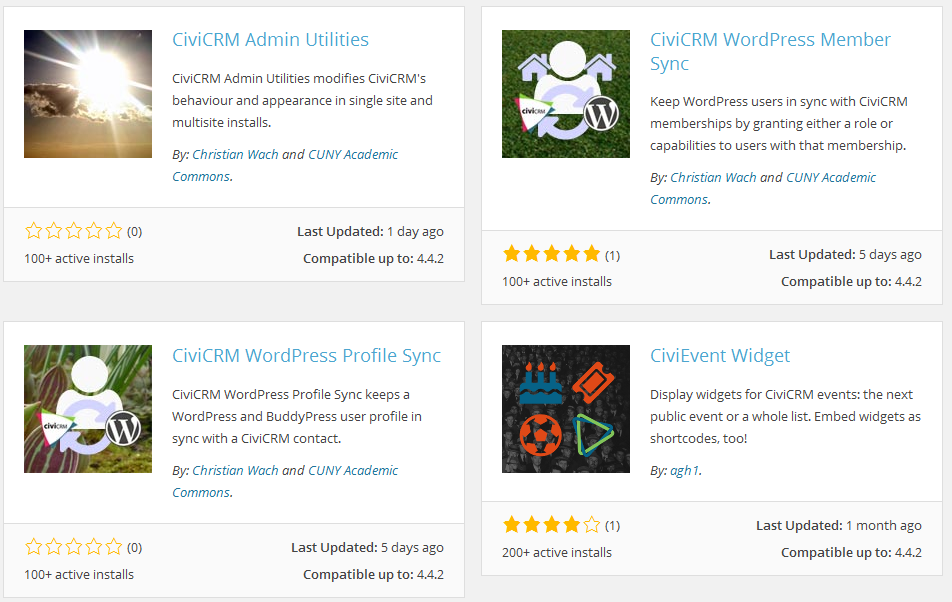
The current list of plugins that give extra functionality when linking the two systems together can be found at https://wordpress.org/plugins/tags/civicrm
CiviCRM Admin Utilities
Fixes the menus so that they appear in the standardised WordPress way. It also allows you to choose which Post Types the CiviCRM shortcode button appears on
CiviCRM WordPress Profile Sync
Keeps a WordPress and/or BuddyPress user profile in sync with a CiviCRM contact. The synchronisation takes place regardless of whether the changes are made in WordPress, BuddyPress or CiviCRM.
CiviCRM WordPress Member Sync
Keep WordPress users in sync with CiviCRM memberships by granting either a role or capabilities to users with that membership. This enables you to have, among other things, members-only content on your website that is only accessible to current members as defined by the membership types and status rules that you set up in CiviCRM.
CiviCRM Contribution Page Widget
Displays contribution page widgets from CiviContribute as native WordPress widgets. This plugin makes it easy to include one or more contribution page “widgets” as actual WordPress widgets on your sidebar.
CiviEvent Widget
Display widgets for CiviCRM events: the next public event or a whole list. You can include the widgets in the sidebar like normal, or you can include them via shortcodes in the body of your posts.
Because of the huge number and ever-changing nature of community contributed WordPress plugins, CiviCRM cannot guarantee compatibility with contributed plugins. A list of know incompatibilities can be found at WordPress plugins incompatible with CiviCRM.
Find out more about CiviCRM Hosting from 2020media at http://www.2020media.com/shared-hosting/civcrm-hosting – full support for WordPress-based CiviCRM sites.

CiviCon London 2015 Session Videos Now Available
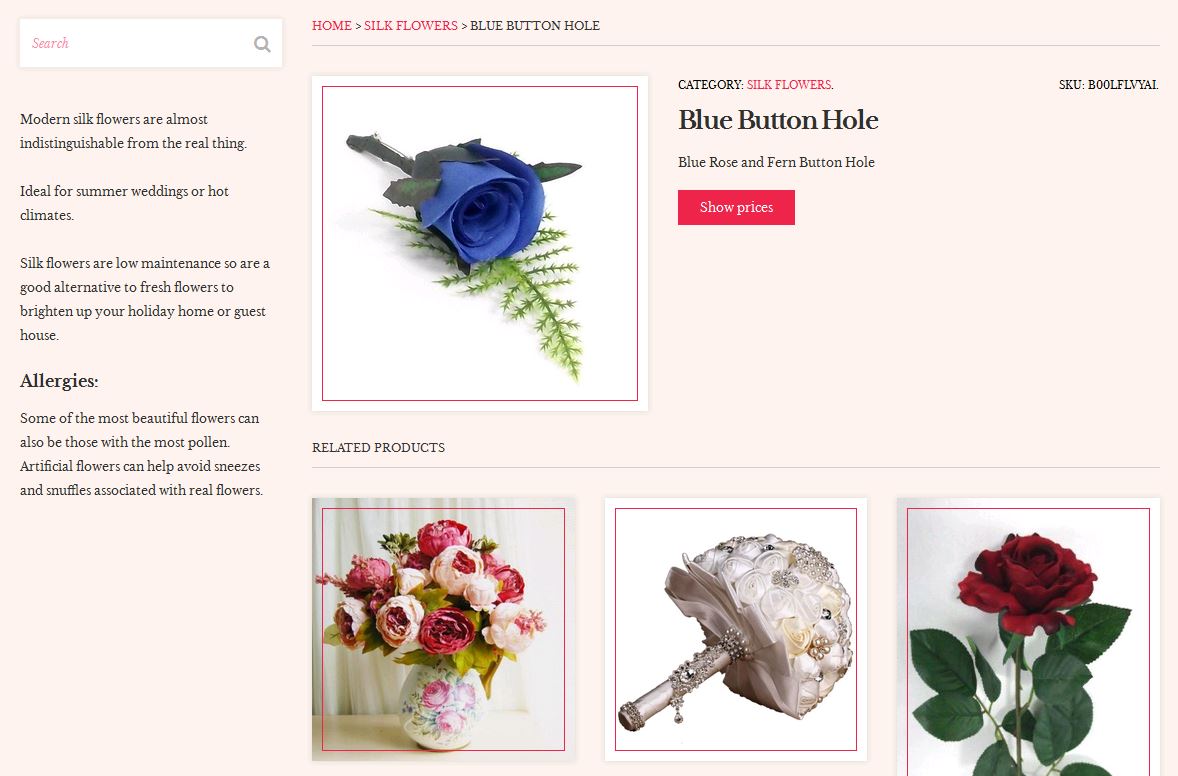
Creating an WordPress affiliate site with WooCommerce
Guest post by 2020Media customer Andy Clark
My wife Rebecca asked me to setup a website for her that could showcase some silk flowers. As a way of judging interest for this market we decided to build it using affiliate links.
I had built affiliates sites before using hand crafted PHP and HTML, but as I would not be managing the site myself something easier would be needed. The site needed to be flexible to grow and change with the business and low maintenance.
We asked 2020Media to provide a managed WordPress site and register the domain. That service comes with managed upgrades, backups as well as some handy plugins for images, SEO and analytics. 2020Media also provided us with quality WordPress themes from CSSIgniter and the selected theme was installed by Rex. The themes had all the features you would expect from a modern theme such as responsive design and easy to use widgets.
After experimenting with custom post types and an affiliate plugin, I realised that the theme had built in support for WooCommerce and that in turn supports affiliate links. After installing the WooCommerce plugin the setup adds in all the pages needed for the shop.
The plugin allows you to categorise and enter the products. As there was only a handful of products these were entered manually, import tools are available if you have many to enter. When entering the products you need to select the external/affiliate option, enter the SKU and affiliate link and set a product image. Additional information can be added in the product short description which will allow people to find things via the search.
The theme is responsible for the display of the shop and products. It can be configured and customised without any need for coding. A simple bit of styling was added to hide the shopping cart and the site was configured to show the shop on the home page. A product search widget was added in the sidebar and the product categories were added to the menu.
All in all a very easy way to get an affiliate site up and running and it provides a solid platform going forward. The whole thing was up and running in a few hours.


Thank you Andy, we hope the added benefits of our Managed WordPress service enable you to get this site to the top of the search engines! Check out the finished site at http://www.becasblooms.co.uk/